
Introduction
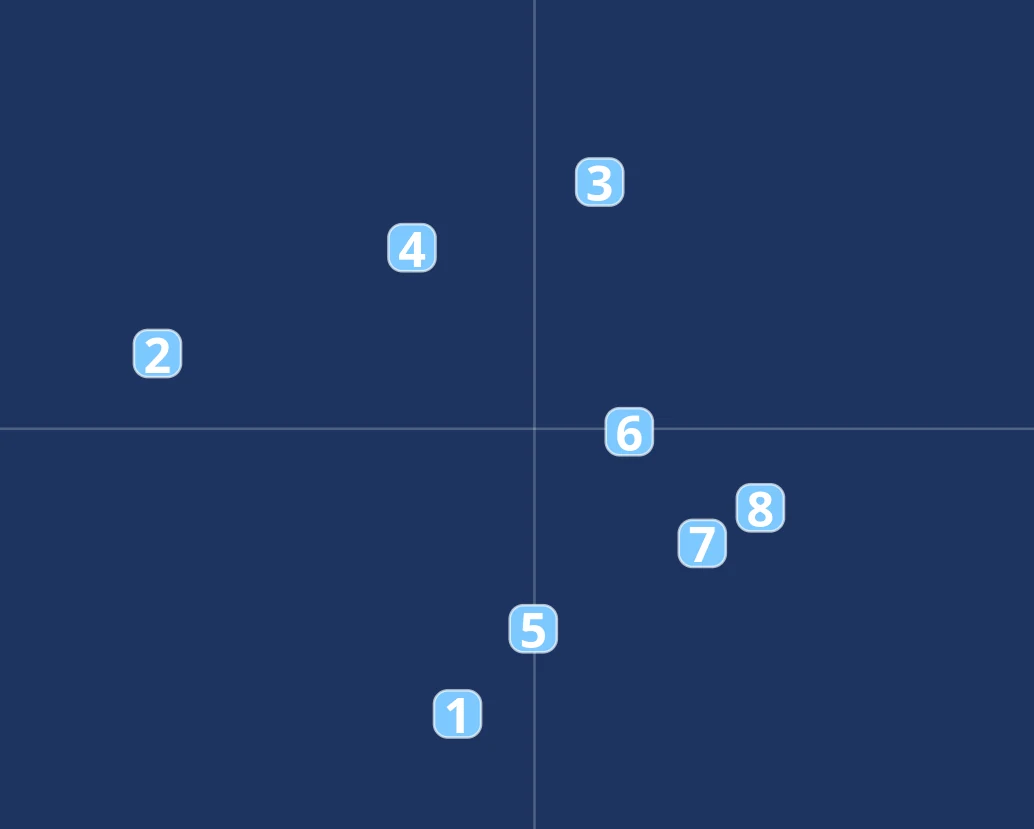
Prevent every collision in each scene with as few removals as possible by pressing the digit of the chosen object before the collision happens, or press 0 when no collision is going to happen.
This task tests how well you predict where moving objects will meet. Every path is a straight line at one speed, so you judge from direction and distance alone whether two circles reach the same point at the same time. Scoring rewards preventing all collisions with the minimum number of removals: removing an object that was not going to collide, or both objects of one pair, lowers the score for that scene. In the levels with questions you work both tasks at once, with the right hand on the digits and the left hand on A, S, D, F.
The task
- Blue circles numbered 1 to 9 enter from the sides and corners of the radar at random times
- Every object moves in a straight line at the same constant speed, with no trails or heading lines
- Press an object's digit on the numeric keypad or the top digit row to remove it at once
- Remove the smallest number of objects that prevents every collision: when one object would hit two others, removing that one object solves both
- If no collision is going to happen in the scene, press 0. Nothing visible happens and you can still remove an object afterwards
- When two circles touch, both turn red and keep moving. This is the only feedback during the task
- Each scene lasts about 10 seconds, then a new group of objects appears after a short pause
- In Levels 3 and 4 arithmetic questions appear in the white bar below the radar: answer with A, S, D, F for options A, B, C, D
- A question disappears after a few seconds but can still be answered until the next question appears
Priorities
- Judge direction and distance together: two paths that cross only cause a collision if both objects reach the crossing at the same time
- Look for one object that is involved in two collisions before you remove anything, because removing it solves both
- Do not remove both objects of a pair. One is enough
- Press 0 only after you have checked the whole scene, and keep watching: you can still remove an object after pressing 0
- Keep your left hand on A, S, D, F and your right hand on the digits in the levels with questions
- Use the last digit and a rough estimate to pick between close answer options
- If you answer a question late, check that a new question has not just appeared, because your key press counts for the question that is current