

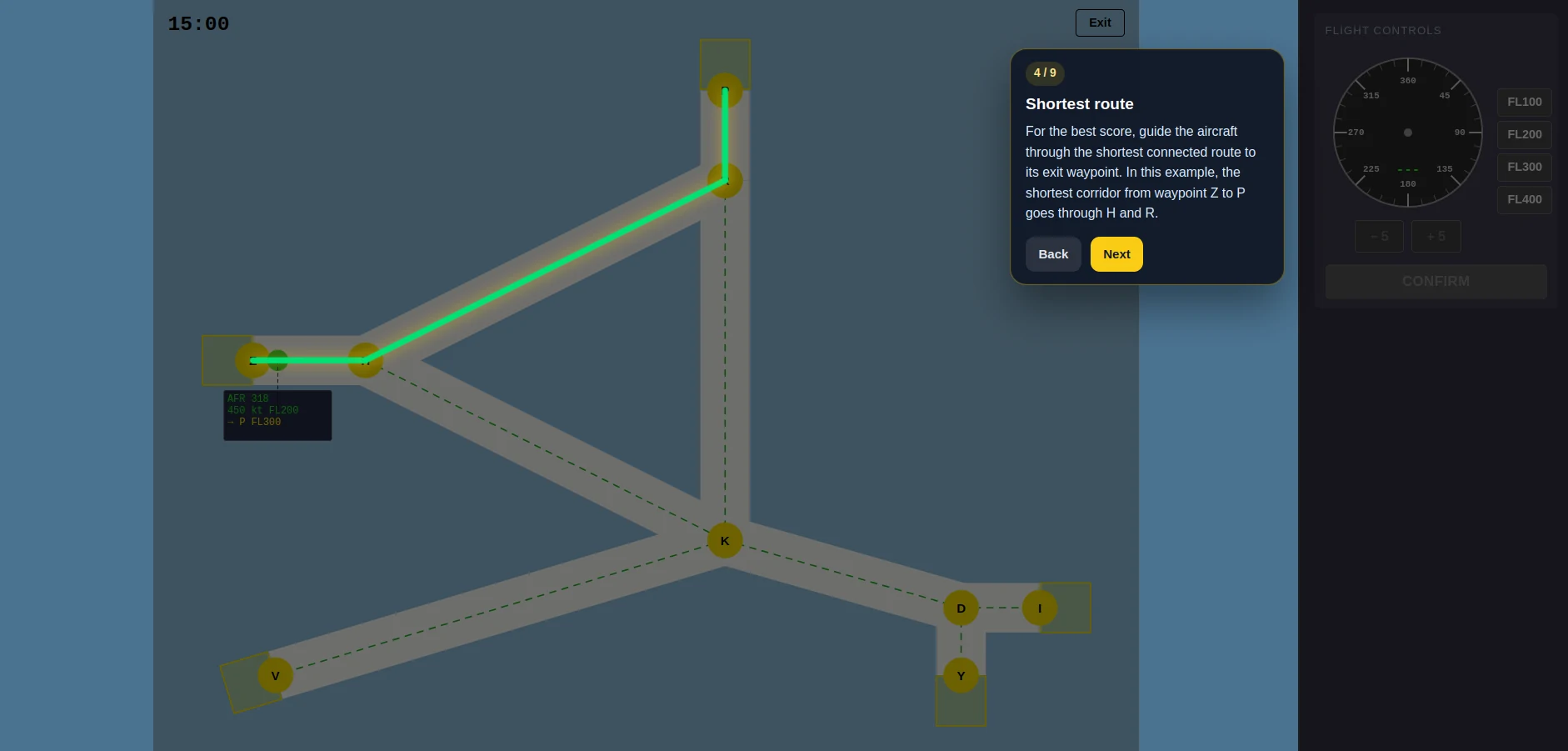
See the task before you are timed
Each module opens with a tutorial, then the difficulty builds to TEST mode. Use the harder levels in longer sittings so a long session is not the first time you stay sharp for hours.
Practice for the NAV Canada online assessment and in-person test
FEAST practice for memory, speed, spatial work, attention, and radar-style control.
Full access
30-day subscription
€59.99 / 30 days
Subscription renews every 30 days at €59.99 until you cancel. Only need one period while you wait for a test date? Cancel right after purchase and keep full access for 30 days.
Not ready to buy? Try the free practice first
“Honestly the practice was very accurate. Radar and the time pressure felt close to the real FEAST, so I wasn't guessing on the day.”
Used by candidates preparing for NAV Canada — read their reviews
Each module opens with a tutorial, then the difficulty builds to TEST mode. Use the harder levels in longer sittings so a long session is not the first time you stay sharp for hours.
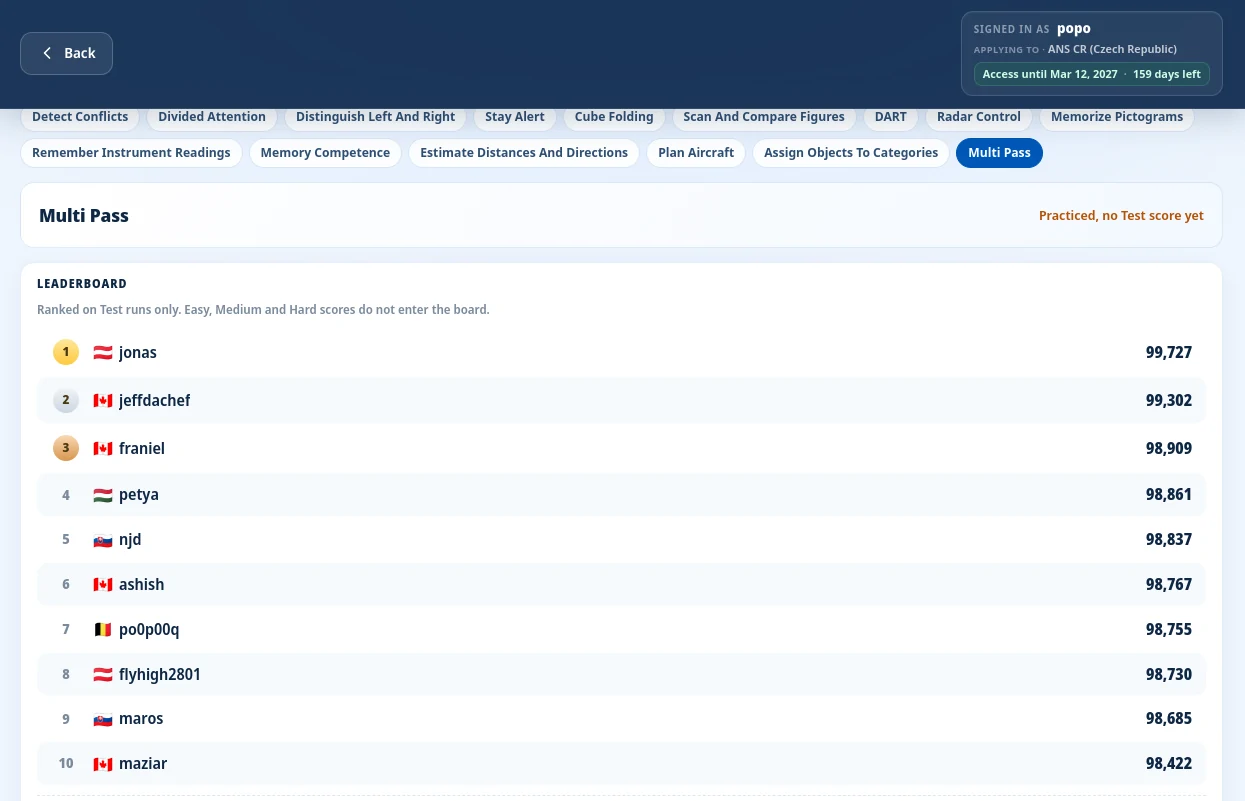
Every Test run is ranked against other candidates, so a pass on Easy is not the last thing you see.
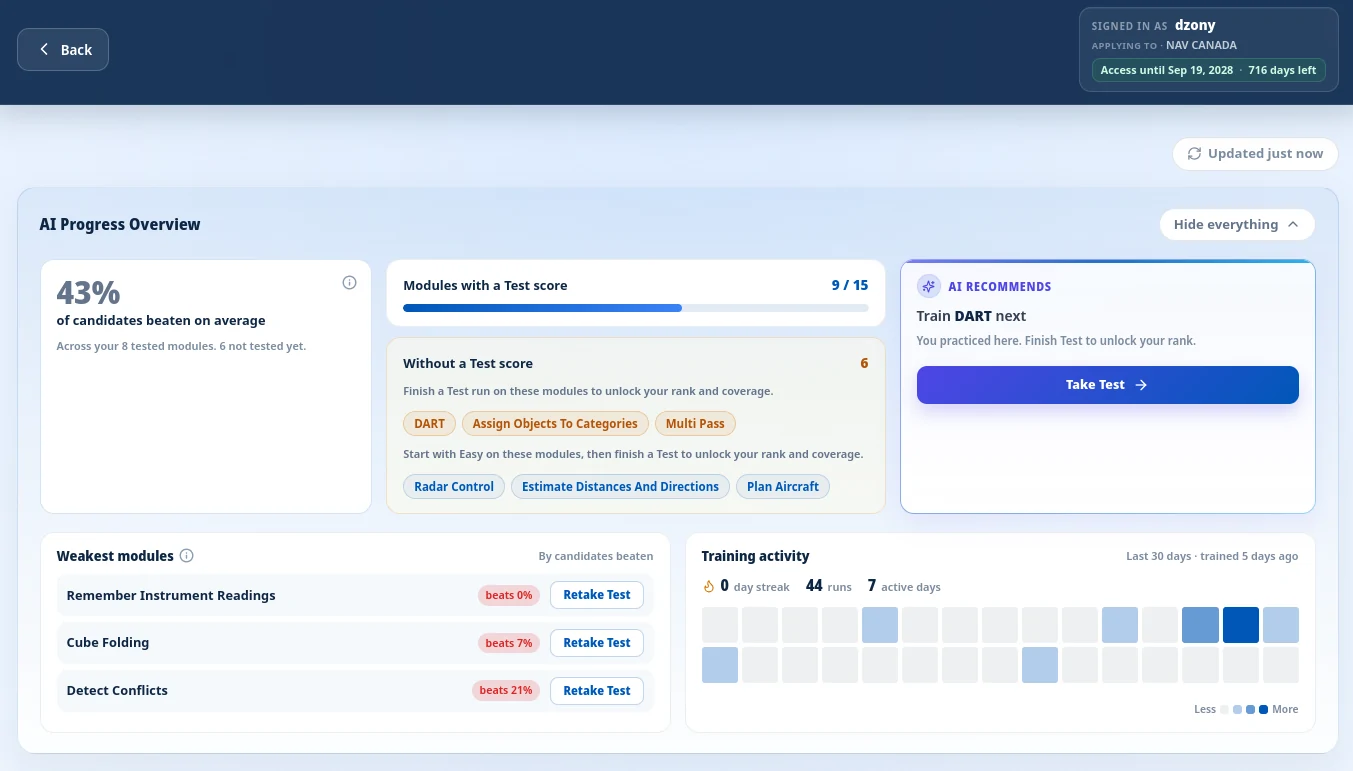
The progress overview shows the weak modules and what to train next, so practice time is not a blank.
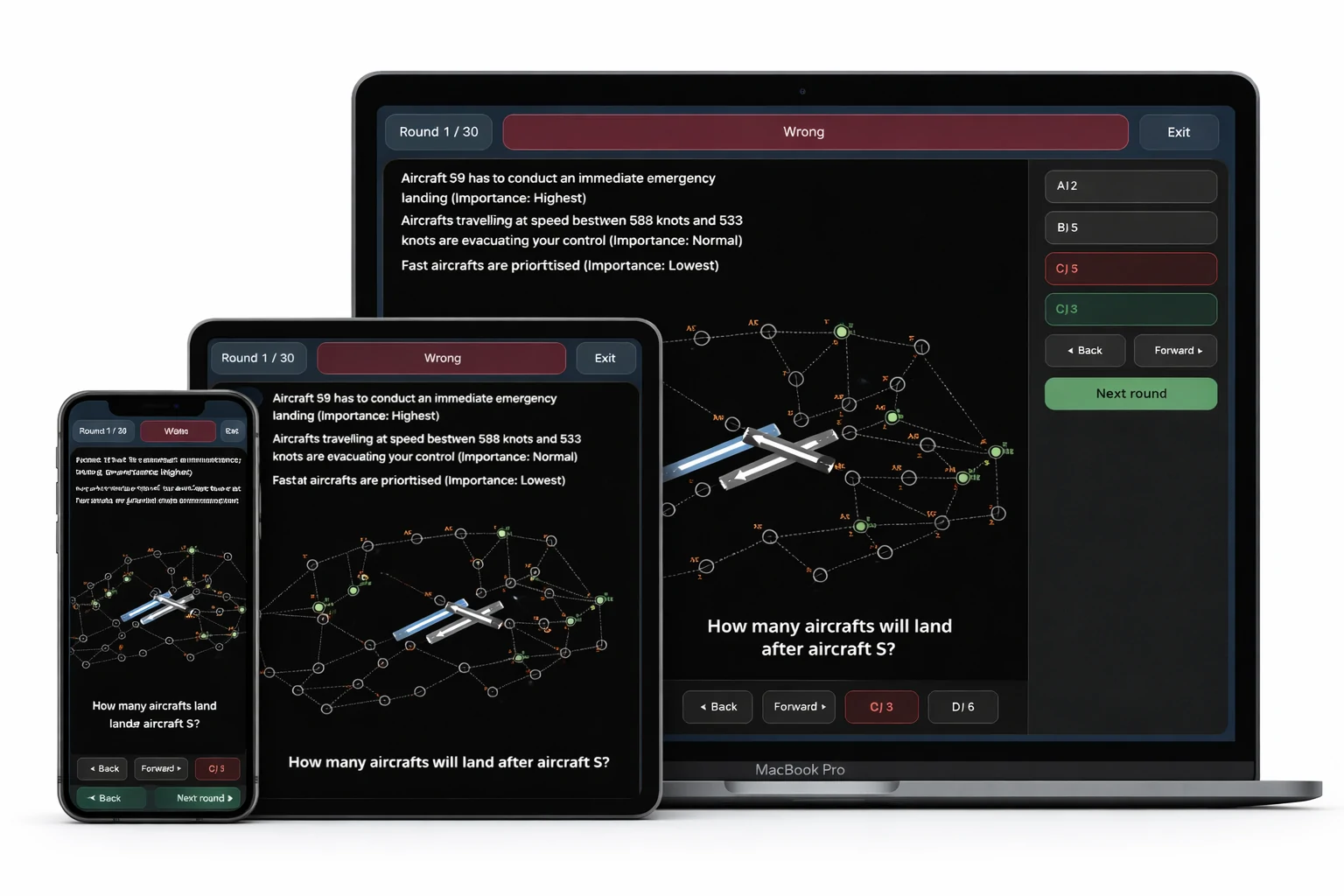
Training runs in the browser, and your results stay on the account when you switch devices. Do timed runs on a computer.
Between the various preparation courses for FEAST available today, I found ATC Preparation was the most helpful and comprehensive program to help me develop the skills I needed to complete my FEAST I and FEAST II exams with confidence. The gradual progression in complexity of the modules along with the scoring feedback really helped to calibrate the areas I needed to spend time on. This is an essential tool if you are preparing for the FEAST exams.
Honestly the practice was very accurate. Radar and the time pressure felt close to the real FEAST, so I wasn't guessing on the day.
I think that it went well and did help me prep for the test - I do appreciate it.
DART, Multi Pass, and Radar Control are the three control modules. The other twelve cover speed, memory, and spatial tasks.
Route aircraft through a corridor network to an assigned exit waypoint and flight level, keep them separated, and decide whether radio calls belong to your traffic.
Learn more about Radar ControlRead the map and the special rules, then pick the answer about landing order or the checkpoints an aircraft will overfly.
Learn more about Plan AircraftPress CONFLICT if two aircraft are heading toward each other.
Learn more about Detect ConflictsWatch several numbered playgrounds at once and press the matching number only when the red ball touches the green rocket.
Learn more about Divided AttentionJudge whether the requested shape is on the figure's left or right side as the perspective changes.
Learn more about Distinguish Left And RightLearn category rules on the fly and choose the option that matches the examples under changing conditions.
Learn more about Assign Objects To CategoriesRead the grid and choose the distance, heading, or rotation between the named aircraft and its waypoints.
Learn more about Estimate Distances And DirectionsTrack a moving target and react only when it makes a rare double jump.
Learn more about Stay AlertStudy an unfolded cube net and decide which 3D cube can be folded from it.
Learn more about Fold CubesCompare the left box with the figures on the right, and press Equal if at least one of them matches.
Learn more about Scan And Compare FiguresSteer green aircraft through numbered waypoints on a circular radar, keep them off grey traffic at the same flight level, and type the spoken numbers when audio is on.
Learn more about DARTMemorize the order in which boxes light up and replay the full sequence exactly from memory.
Learn more about Memory CompetenceMemorize pictograms shown as pairs or as a colored grid, answer whether equations are correct, then pick the shapes you saw.
Learn more about Memorize PictogramsStudy a panel of instruments, then select each reading from a range of options before time runs out.
Learn more about Remember Instrument ReadingsClassify each flight strip into the box for the aircraft’s next waypoint, hand it over after the final waypoint, put landing flights at FL 10, keep same-level traffic apart, and confirm only the example callsign when audio is on.
Learn more about Multi PassAll 15 modules, one price
€59.99 for 30 days · 48-hour money-back guarantee
Your access details arrive by email as soon as your payment is received.
Sign in to your atcpreparation.com account from any device with a browser.
All 15 modules are unlocked the moment you log in.
Start with the free aircraft-navigation task if you want to see the controls. The full suite adds every module, the harder levels, and rankings.
Your access details and credentials are emailed to you as soon as your payment is received. Log in and all 15 modules are available straight away.
Yes, it renews every 30 days at €59.99, and you can cancel anytime with one click in your dashboard. If you only need one period, cancel right after purchase: access stays active for the full 30 days and you are not charged again.
Your initial purchase is risk free. Contact us within 48 hours if you are not satisfied and you receive a full refund, no questions asked.
Any device with a browser: laptop, tablet, or phone. Do your timed runs on a computer. Results are saved to your account.
No. This is independent practice. It is not affiliated with NAV Canada or EUROCONTROL. The modules are original and train the ability areas used in the selection, so the task types feel familiar on the day.
Yes. The free training lets you play a short aircraft-navigation task in your browser without an account. The full suite adds every module, all difficulty levels including TEST mode, rankings against other candidates, and progress tracking.
Get all 15 modules for the next 30 days.
€59.99 / 30 days
48-hour money-back guarantee · Cancel anytime · Instant access
NAV Canada is a licensed FEAST user, but public candidate materials use stage names: online assessment, in-person test, and assessment centre. They do not label the stages FEAST I or FEAST II. The in-person day still tests memory, processing speed, spatial visualization, reasoning, attention, and basic math.
Stage 1 is a timed online assessment you complete remotely. If you pass, Stage 2 is a full-day in-person computer session at a regional area control centre, by invitation. An assessment centre can follow. Invitations to Stage 2 can take weeks or months, and dates are scheduled in limited windows through the year.
NAV Canada publishes that in-person testing typically takes one full day, about six hours, at a regional area control centre, with short breaks between sections. Arrive rested. The length is the reason to practice in long blocks, not only in ten-minute runs.
DART, Multi Pass, and Radar Control are the three control modules. The other twelve cover speed, memory, and spatial work. Nothing here is a copy of the official test.
NAV Canada publishes waits of one year after an unsuccessful online assessment, two years after an unsuccessful in-person test, and three years after an unsuccessful assessment centre. Policies can change by hiring cycle, so check the current NAV Canada recruitment page before you apply again.
Disclaimer: This is independent practice for candidates preparing for NAV Canada air traffic controller selection. It is not affiliated with, endorsed by, or connected to NAV Canada or EUROCONTROL. NAV Canada is a trademark of NAV Canada. FEAST is a registered trademark of EUROCONTROL. The modules are original. They train the ability areas used in selection. They are not the official online assessment, in-person test, or assessment centre.