
Introduction
Memorize Pictograms is a visual-memory module in the FEAST Preparation Suite. Each round has three phases: you study pictograms, you decide whether equations are correct, then you pick what you saw. Rounds alternate between pairs and a colored grid.
The task
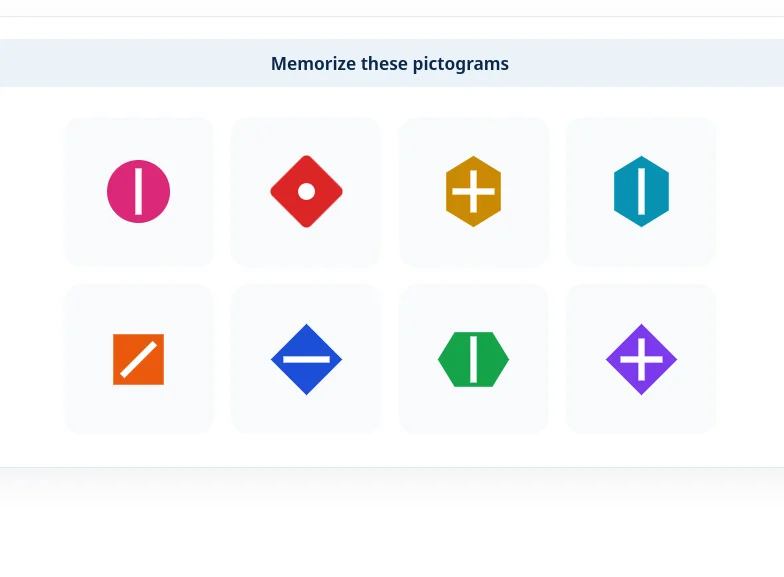
A pictogram is a colored shape with a mark inside. Remember the outer shape, the inner mark, and the color. Rotation only matters when you can see it, such as a line or a triangle. A circle with a dot looks the same at any angle, so do not spend time on that.
On a pair round, two pictograms appear together. Hold both. More pairs follow, one after another. After the math phase, two pictograms appear again. One is from earlier. The other is new. Click the one you already saw. The prompt is “Click the pictogram you saw earlier.”
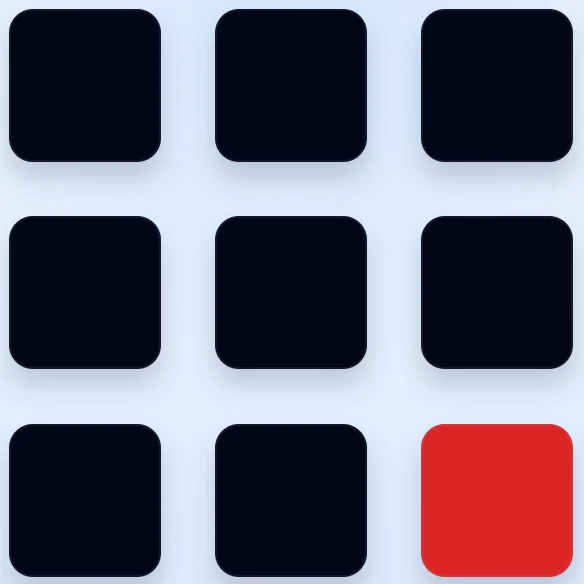
On a color round, several pictograms appear at once, each in a different color. After math, a grid of same-color options appears, for example all red, and the prompt names that color. Click the shape that had that color, not a new shape painted in it. The round then asks the same question for each color you memorized.
The math phase sits between study and recall. The prompt is “Is this equation correct?” Press Correct or Incorrect. The equations use addition, subtraction, and multiplication. A late answer counts as wrong, the same as pressing the wrong button. Keep the pictograms in memory while you work through the batch.
Both the math answers and the pictogram picks count. Difficulty runs from EASY, through Medium and Hard, to TEST. The task stays the same throughout.
Priorities
During study, attach each shape to its color, but do not rely on color alone. Color recall removes that cue and leaves you with similar outlines, marks, and rotations. During math, answer the equation in front of you and keep the stored set intact; rushing through a wrong Correct or Incorrect still costs you, and so does letting the pictograms fade. During recall, read the prompt first. Pair rounds ask which pictogram you already saw. Color rounds ask which shape matched the named color.
The in-module walkthrough shows a pictogram, a pair, the math buttons, pair recall, a colored grid, and color recall before the timed rounds begin. Memory Competence, Remember Instrument Readings, and Assign Objects to Categories are other FEAST I modules in the suite. A broader overview is available in FEAST Modules Explained.
Disclaimer: FEAST Preparation Suite is an independent training tool designed to support candidates preparing for air traffic controller assessments. This product is not affiliated with, endorsed by, or officially connected to EUROCONTROL or the FEAST test. FEAST is a registered trademark of EUROCONTROL. All training modules are original and independently developed. The exercises included in this product are designed to strengthen the core ability areas important for air traffic controller screening. While some modules may resemble the style of tasks candidates can encounter during selection, they are not intended to simulate, reproduce, or replicate any official test.