

New FEAST 2 Tutorials: Guided Walkthroughs for Dynamic Radar, Radar Control, and Multi Pass
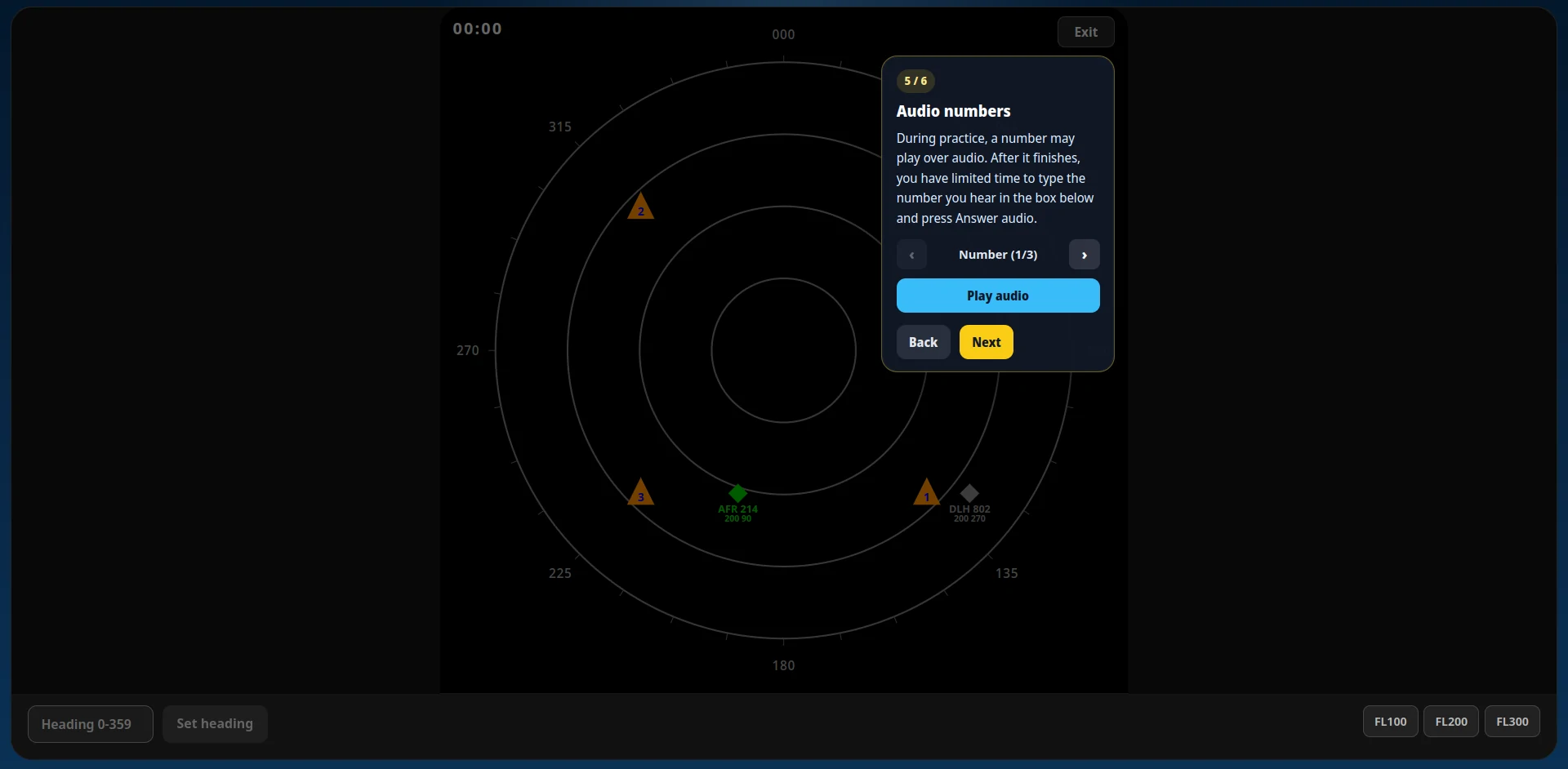
Each FEAST 2 module now opens with a guided tutorial that explains the radar, labels, and controls before you start the scored levels.
Last updated: May 25, 2026
Start practicing FEAST II
Train DART, Multi Pass, and Radar Control with guided tutorials, difficulty tiers, and saved progress in the FEAST Preparation Suite.
FEAST 2 is where preparation starts to feel like real ATC work: more traffic, more decisions, and less room for guesswork. To make that first step easier, we added in-game tutorials to all three FEAST 2 modules in the FEAST Preparation Suite.
Each tutorial walks you through the interface step by step: what to read on the radar, how to use the controls, and what counts as an error, before you move on to Easy, Medium, Hard, and Test levels. More tutorials for other parts of the platform are on the way.
If you are new to FEAST 2, pair this with FEAST Modules Explained for the bigger picture on what each task measures.
Contents
Why we added tutorials
FEAST 2 modules throw a lot at you on the first launch: radar symbology, flight strips, corridor rules, audio calls, and timed strip moves. Jumping straight into scored levels works for some candidates, but many lose points early simply because they did not know where to look or what a panel does.
The new tutorials solve that by pausing the game while you learn. Each step highlights the relevant part of the screen, explains it in plain language, and lets you move back if you need to re-read something. When you finish the last step, a short practice round lets you try the main actions yourself before the real levels begin.
How to start a tutorial
Open any FEAST 2 module (Dynamic Radar, Radar Control, or Multi Pass) in the FEAST Preparation Suite. You will see a Tutorial button alongside Easy, Medium, Hard, and Test. Select Tutorial and the guided walkthrough starts immediately.
The tutorial does not affect your scored progress. You can replay it any time if you want a refresher before a harder level.
Dynamic Radar tutorial
Dynamic Radar tutorial: controlled aircraft, decoy traffic, waypoints, audio numbers, and heading/flight-level controls.
Dynamic Radar is often the first FEAST 2 task candidates try. The tutorial covers:
- Green vs grey aircraft: which symbol you control and which is background traffic.
- Aircraft labels: callsign, heading, and flight level callouts on the radar.
- Waypoints: how to guide your aircraft through numbered points on the display.
- Audio numbers: listening to a spoken number and entering it within the time window.
- Heading and flight level: turning toward the waypoint and climbing or descending for vertical separation.
The walkthrough ends with a practice segment where you apply heading and altitude changes yourself, including separating from head-on traffic at the same flight level.
Radar Control tutorial
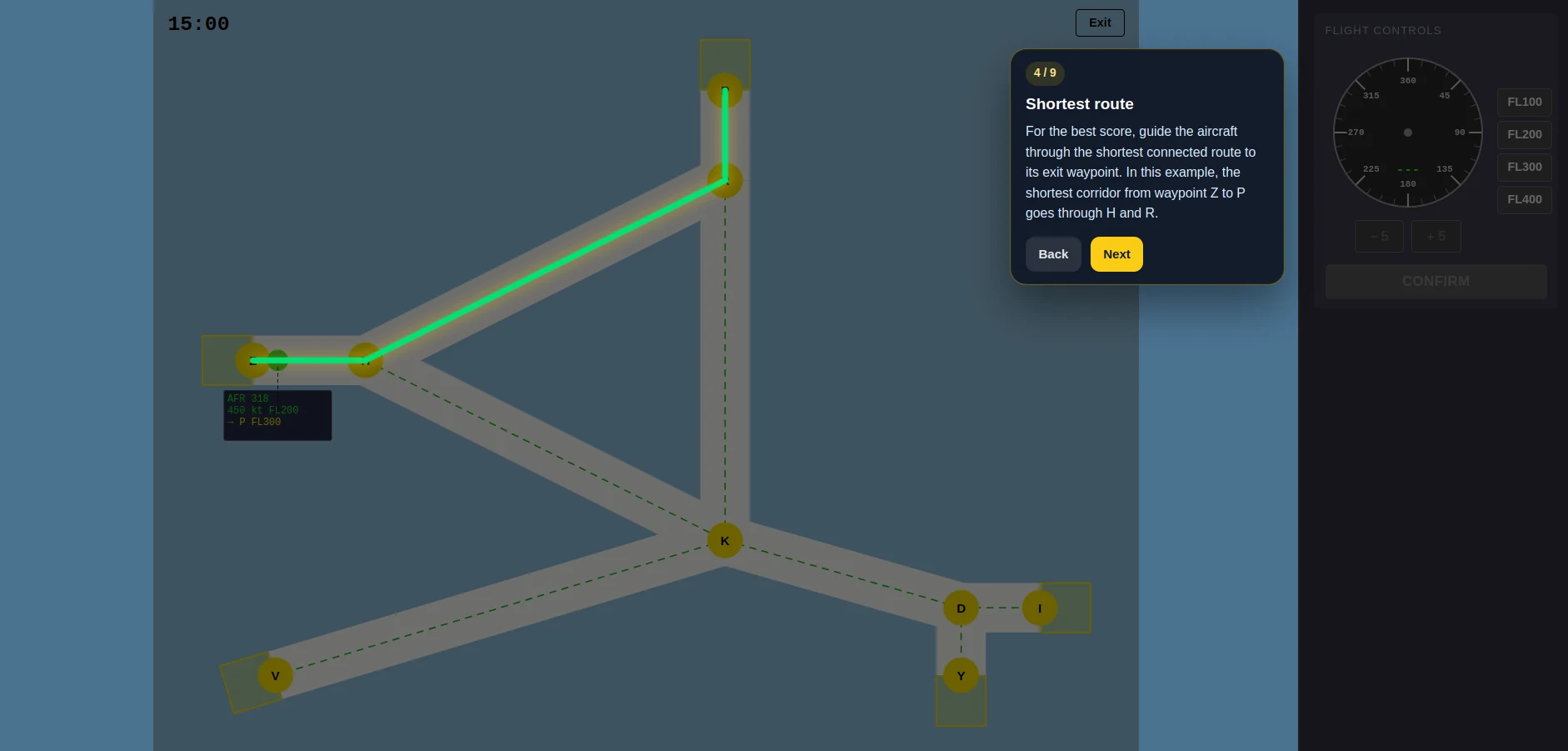
Radar Control tutorial: flight strip anatomy, exit waypoints, corridor routing, and audio relevance.
Radar Control adds corridor navigation and a side-panel flight strip. The tutorial explains:
- Controlled aircraft and labels: callsign, speed, current flight level, exit waypoint, and required exit flight level.
- Shortest vs acceptable routes: why the best score comes from the shortest connected corridor path.
- Corridor errors: what happens when the aircraft leaves the route corridor.
- Collision risk: changing flight level when traffic at the same level gets too close.
- Audio information: deciding whether a radio call is Relevant or Irrelevant to your aircraft and airspace.
- Heading and altitude controls: selecting an aircraft, setting heading and flight level, then confirming.
Multi Pass tutorial
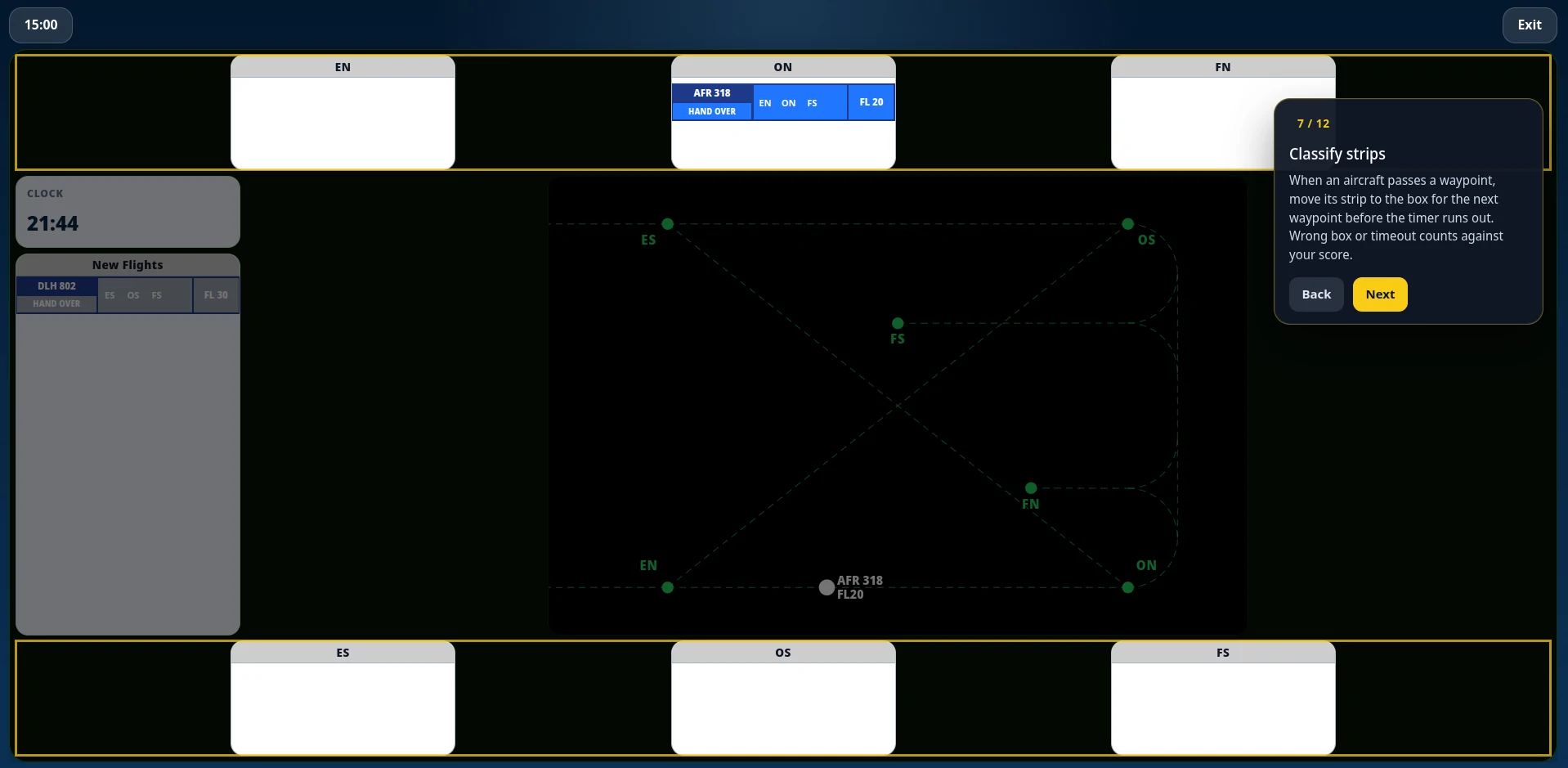
Multi Pass tutorial: radar map, waypoint boxes, strip classification, route changes, handover, and audio callsign checks.
Multi Pass is the most operationally dense FEAST 2 module. The tutorial walks through the full workflow:
- Radar map: aircraft enter from EN or ES and can leave through EN, ES, FS, or FN. ON and OS are overfly waypoints. FN and FS are landings.
- Aircraft labels: callsign and flight level next to each track on the radar.
- Waypoint boxes: moving each strip to the box matching the aircraft's next waypoint before the aircraft reaches it.
- Flight strips: route, time notes under each waypoint, flight level, and when you can edit them after the aircraft enters the airspace.
- Handover: removing a strip once the aircraft has passed its final waypoint and is leaving. Landing flights at FN or FS must already be at FL 10.
- New Flights: classifying incoming strips before the aircraft reaches its entry waypoint.
- Route and flight level changes: updating the plan while the aircraft is in your sector.
- Audio callsign checks: confirming whether a spoken callsign matches your traffic.
- Collision risk and controls practice: a final round where you put the pieces together.
What comes next
FEAST 2 is fully covered. Dynamic Radar, Radar Control, and Multi Pass all have tutorials today. We are actively working on adding guided walkthroughs to more modules across the platform, including FEAST 1 and other assessment families over time.
If there is a specific module where you would find a tutorial most useful, let us know through our support channels. Your feedback helps us decide what to build next.
Related Blog Posts
Transavia Pilot Aptitude Test: Compass and CPP Guide
Transavia uses Compass, the EPST aptitude battery, and CPP, the Checklist Professional Profile. Direct-entry first officers and Airline Pilot Program applicants then follow different selection stages.

Ryanair Pilot Aptitude Test: A Guide to Aon and cut-e
Ryanair asks applicants to complete an online Aon aptitude test, still called cut-e, before the simulator. The process depends on whether you apply direct with a Ryanair Group airline or through the Future Flyer Academy.
Free FEAST Training: How to Prepare for FEAST I and FEAST II
Free FEAST training for FEAST I and a first look at FEAST II: which modules are included, how to start, and when the Easy level stops being enough.