

Advanced Statistics and AI Recommendations in the FEAST Preparation Suite: Track Progress, Spot Weak Areas, and Train Smarter
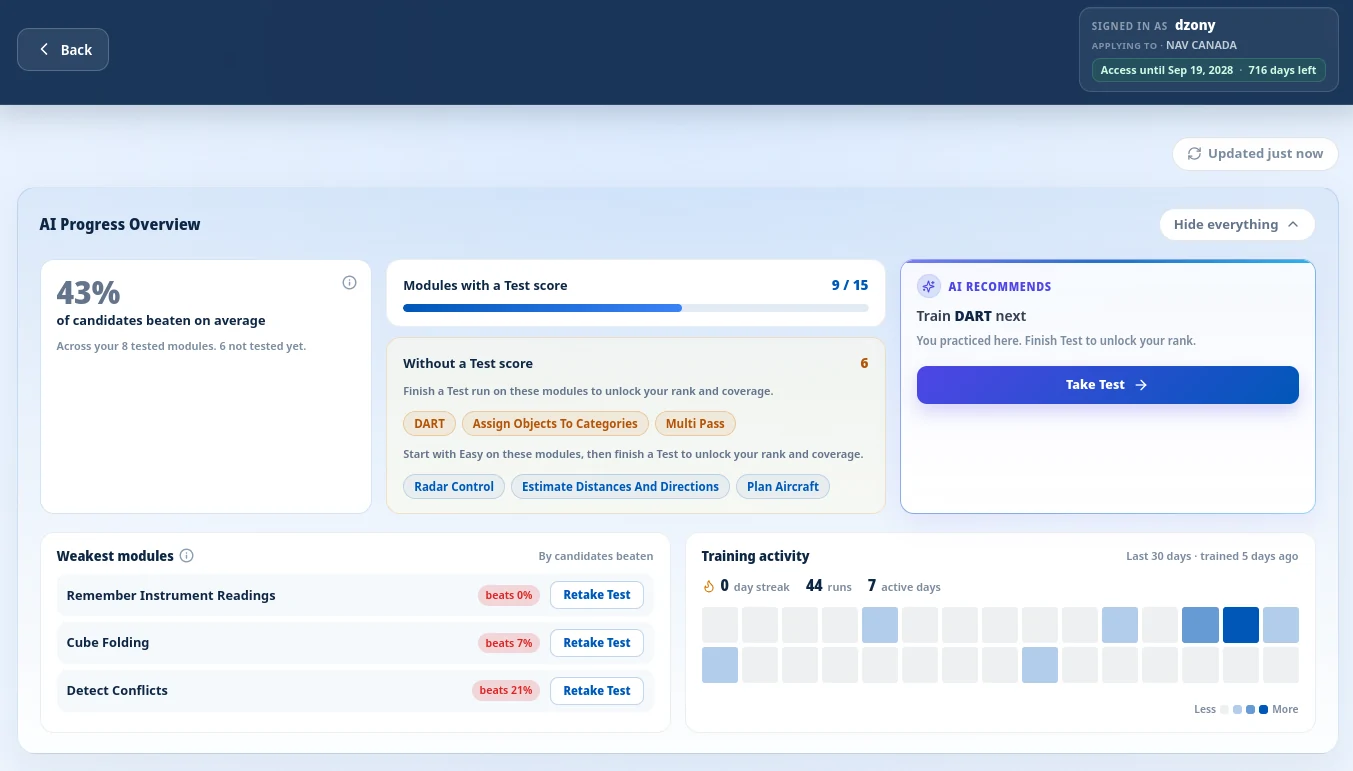
The new Progress overview panel shows how you stand across all 15 FEAST modules, not just the one you played last.
Last updated: September 21, 2026
Train with Preparation Software for FEAST
Train FEAST I, FEAST II, and FEAST III skills in the FEAST Preparation Suite with all difficulty levels, TEST mode, statistics, and candidate comparison.
FEAST preparation is not one test. It is 15 different cognitive modules, each with its own difficulty curve, scoring scale, and failure mode. Knowing your best score on Radar Control tells you nothing about whether you have covered the full battery, or which module to train next.
That is why we built advanced statistics into the FEAST Preparation Suite. The update is live today for full-suite subscribers: a progress overview, per-module score trends, leaderboards, training activity tracking, and recommendations that point you at the module that matters most right now.
The same advanced statistics experience is planned for ATSA and SureSelect, but it is not live there yet. Those suites will receive it in upcoming releases. FEAST is first because it has the largest module library and the longest track record of candidate benchmarking on our platform.
Contents
Why we built advanced statistics
Candidates told us the same story repeatedly: they practiced hard, but could not answer three basic questions. Am I ready across the full battery? Which module is holding me back? Am I actually improving, or just repeating the tasks I already know?
A single best score per module was not enough. You needed run history, cross-module context, and a clear signal for what to do next. The full suite now adds the benchmarking layer that turns scattered sessions into a preparation plan.
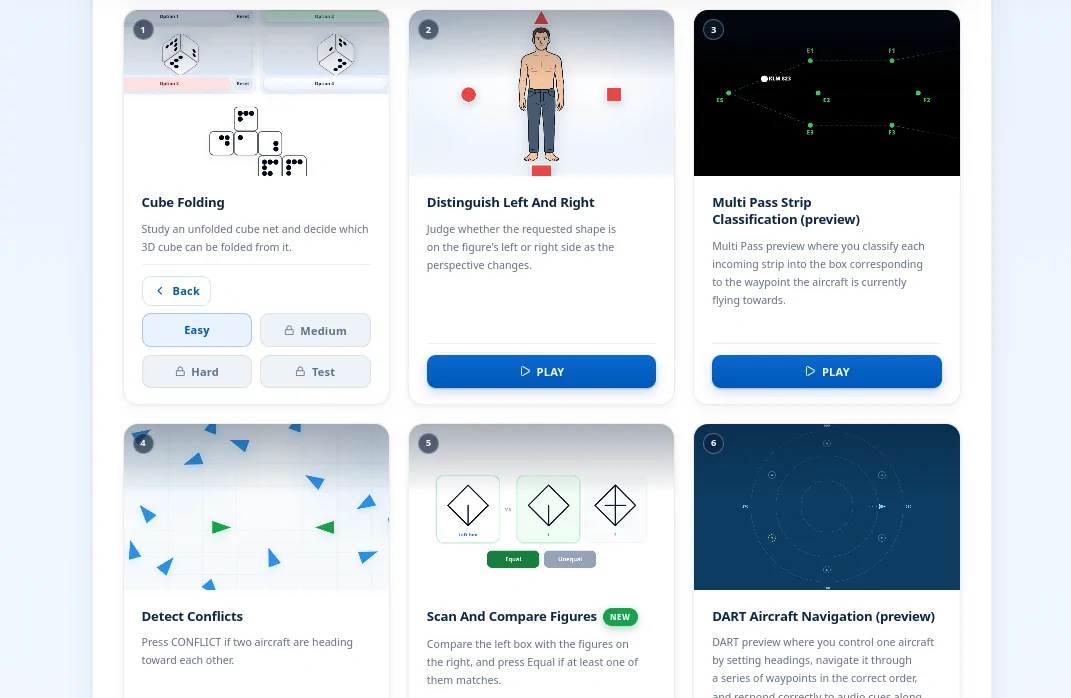
If you are new to the platform, start with our FEAST modules explained guide for task-by-task context, then use statistics to see where you stand on each one.
Progress overview
Open the FEAST Preparation Suite and you will see a collapsible Progress overview panel above the module grid. It pulls data from every module in one view:
- Readiness index: your average standing among other candidates across all modules where you have a Test score and a rank. Displayed as a percentage of candidates beaten on average.
- Module coverage: a progress bar showing how many of the 15 modules you have completed at Test level, plus chips for modules still in practice-only or not-started state.
- Train next: a single recommended module: practice-only modules first (one Test away from full coverage), then untouched modules, then your weakest ranked Test result.
- Weakest modules: the top three lowest-percentile Test modules, each with a direct retake link.
Most of the dashboard is plain statistics: ranks, trends, coverage, and activity you can verify yourself. AI comes in for the Train next recommendation and the Recommended sort order. It reads your Test standings, which modules you have not attempted yet, and your recent sessions, then suggests one module to focus on. You still see the numbers behind it; the point is to save you the mental work of deciding where to spend the next hour.
Module names in the overview are clickable. Select one and the page scrolls to that card, switching between FEAST 1 and FEAST 2 tabs automatically if needed.
Per-module stats and score trends
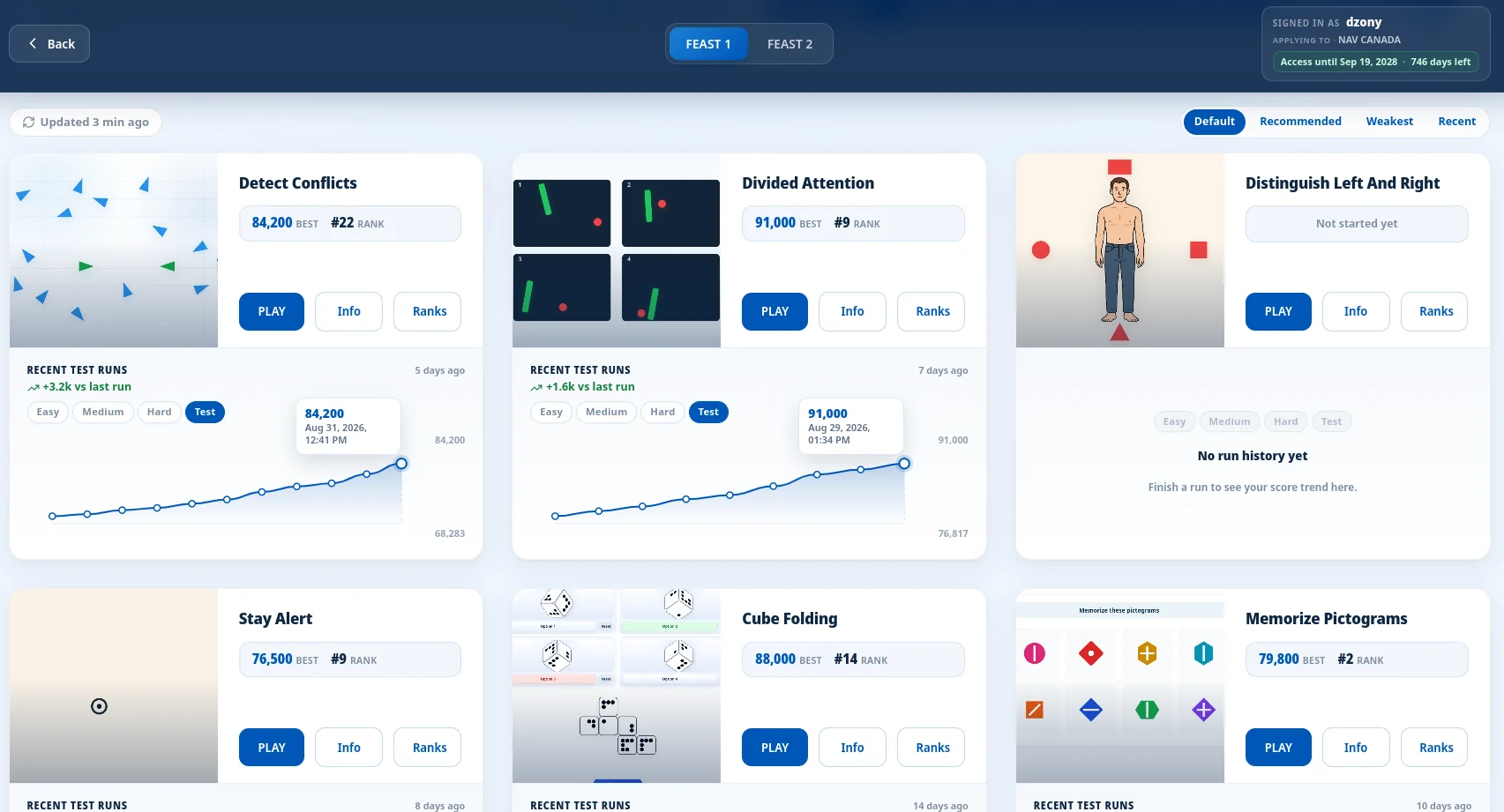
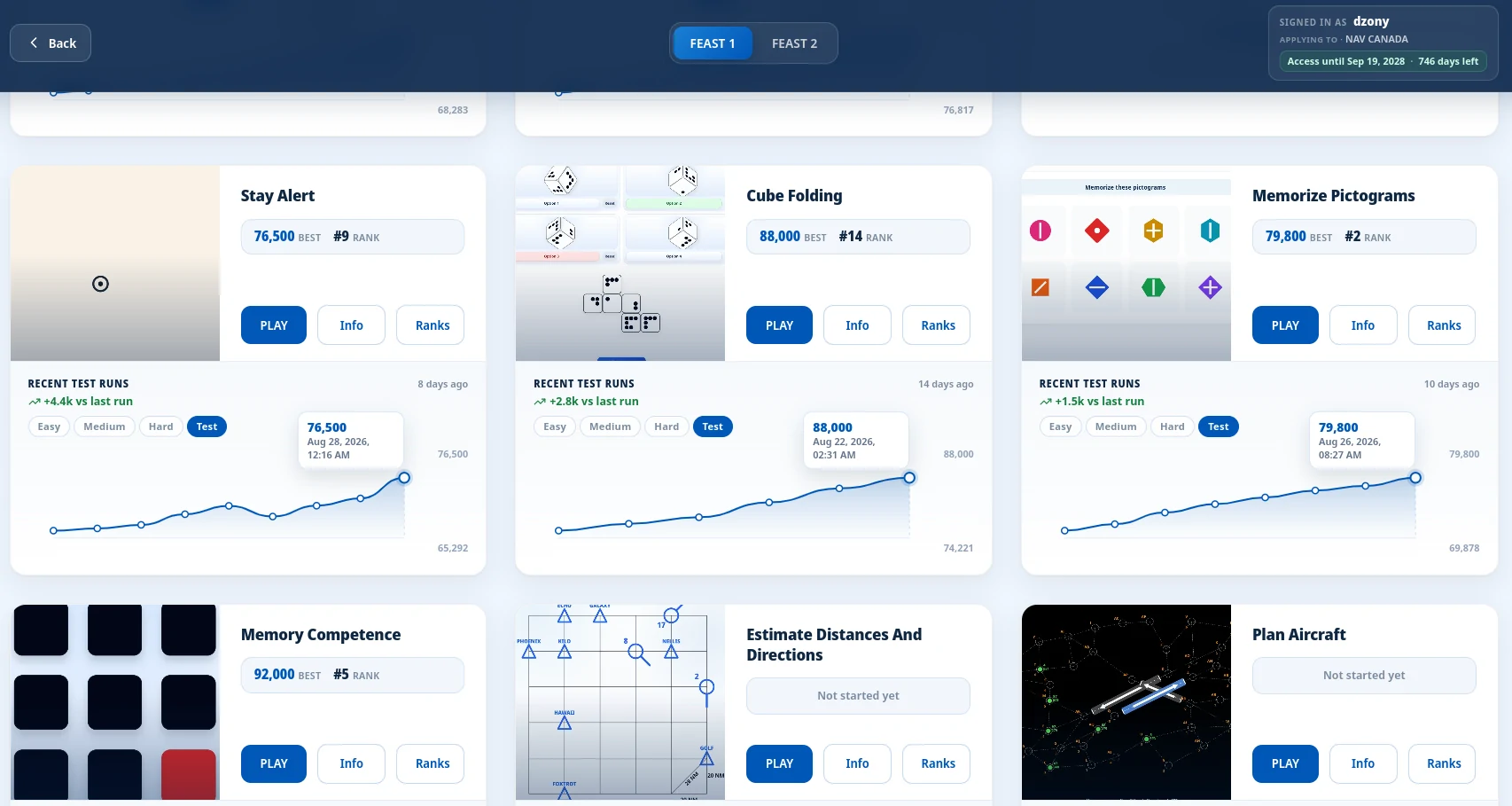
Every module card now shows inline statistics:
- Not started: no runs recorded yet.
- Practiced, no Test score yet: you have runs on Easy, Medium, or Hard, but have not attempted the Test level.
- Tested: your best Test score and worldwide rank (for example, #14 of 312 candidates).
Below the stats strip, an inline score trend chart shows up to 20 recent runs. Switch between Easy, Medium, Hard, and Test tabs to see how you performed at each difficulty. Hover for timestamps and exact scores. A trend delta shows whether your latest run improved or dropped compared to the previous attempt.
Leaderboards
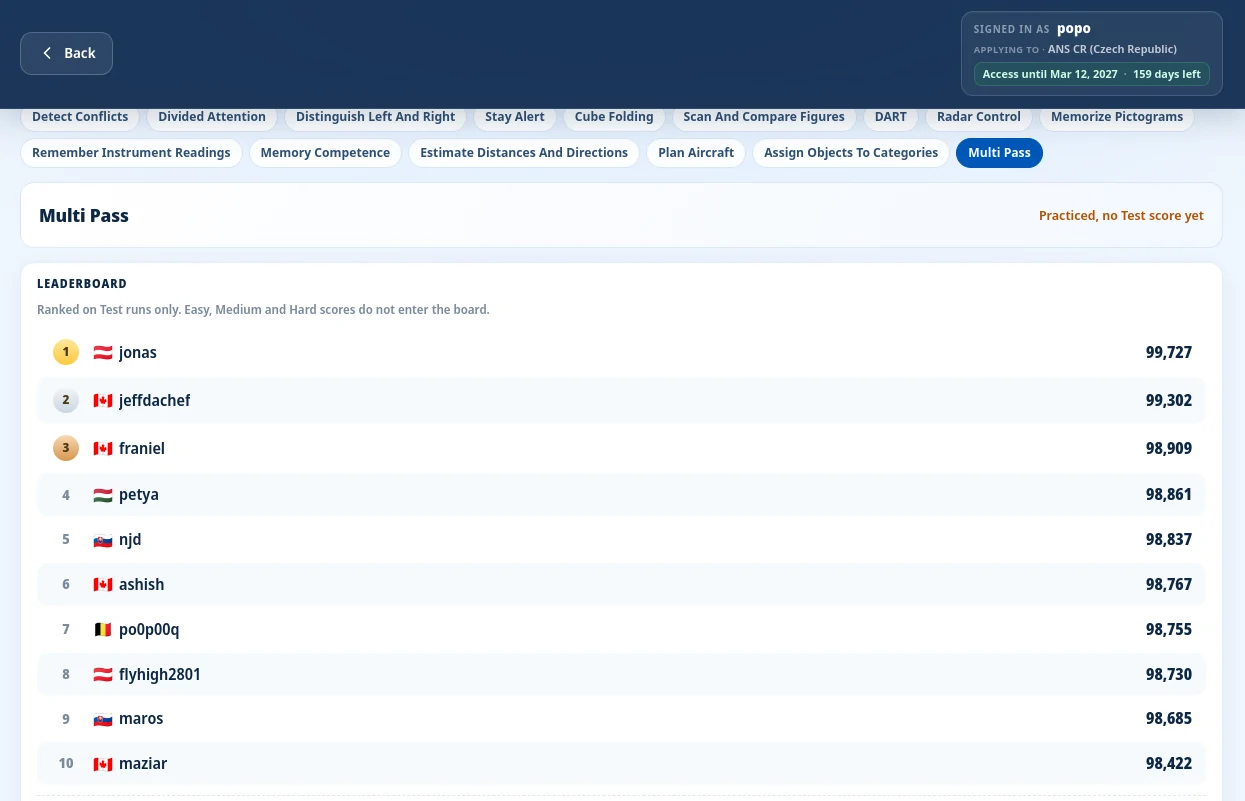
The dedicated Leaderboard gives you a module-by-module ranking view. Pick any of the 15 modules, see the top 10 candidates with podium styling for positions 1–3, and find your own row highlighted in the list.
Rankings are based on Test runs only. Easy, Medium, and Hard scores build skill and appear in your trend charts, but they do not enter the board. That matches how most candidates use the suite: practice freely, then attempt Test when ready.
Practice vs Test runs
We designed the statistics layer around a simple rule: practice builds skill without affecting your rank.
- Runs on Easy, Medium, and Hard are logged to your history and count toward training activity.
- Only Test runs update the leaderboard and feed into your readiness index and weakest-module analysis.
- Every run type appears in the per-module trend chart, so you can see whether your practice sessions are translating into better Test results.
The Progress overview states this plainly: Based on Test runs only. Practice levels do not affect your rank. No guesswork about what counts.
Training activity and streaks
Consistency matters as much as peak performance. FEAST sessions run for hours on test day, and fatigue is a real failure mode. The Progress overview includes a 30-day activity heatmap (similar to a contribution graph), a day streak counter, total runs, and active training days.
Both practice and Test runs count toward activity. The goal is to reward regular preparation, not only the days you attempt a scored Test.
Smarter module sorting
The module grid toolbar now offers four sort modes:
- Default: catalog order, stable on first load.
- Recommended: untested modules first, then weakest ranks.
- Weakest: lowest Test percentile first.
- Recent: most recently played first.
Combined with the Train next recommendation and weakest-module list, you can move from "I should probably practice more" to a specific module in one click.
Coming to ATSA and SureSelect
FEAST is live today. The same advanced statistics layer (progress overview, inline trends, activity tracking, smart recommendations, and module leaderboards) is planned for ATSA Preparation Suite and SureSelect Preparation Suite, but it is not implemented there yet.
We will roll it out to those suites after FEAST, reusing the same product direction but adapting it to each assessment's module set.
We are also preparing provider-specific peer ranking, so candidates applying to the same air navigation service provider can compare results within their cohort (for example, DFS in Germany or NATS in the UK). That feature is built but waiting until provider cohorts reach a meaningful size. It will appear in FEAST first, then extend to ATSA and SureSelect.
If you train on FEAST today, your statistics are already collecting. Open the suite, check your Progress overview, and use Train next to pick up where you left off.
Related Blog Posts

Transavia Pilot Aptitude Test: Compass and CPP Guide
Transavia uses Compass, the EPST aptitude battery, and CPP, the Checklist Professional Profile. Direct-entry first officers and Airline Pilot Program applicants then follow different selection stages.

Ryanair Pilot Aptitude Test: A Guide to Aon and cut-e
Ryanair asks applicants to complete an online Aon aptitude test, still called cut-e, before the simulator. The process depends on whether you apply direct with a Ryanair Group airline or through the Future Flyer Academy.
Free FEAST Training: How to Prepare for FEAST I and FEAST II
Free FEAST training for FEAST I and a first look at FEAST II: which modules are included, how to start, and when the Easy level stops being enough.