

New FEAST Module: Scan And Compare Figures Is Now Available
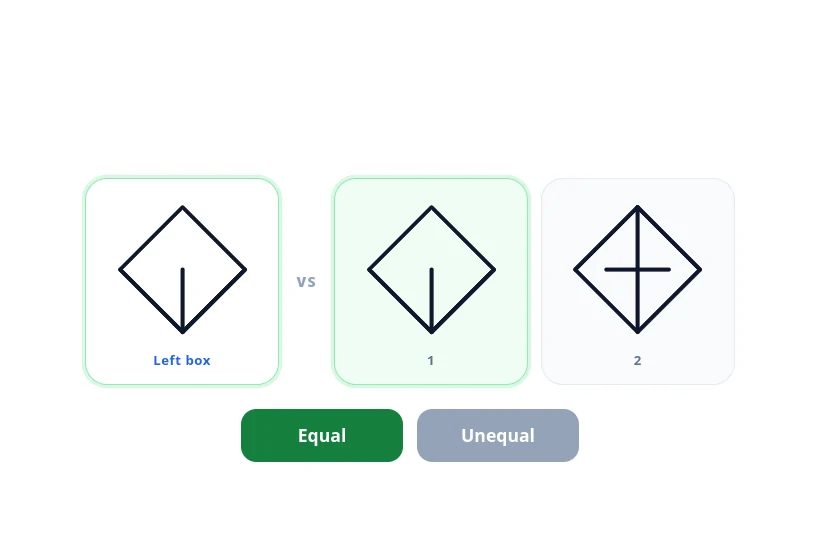
The left box is the reference. Box 1 matches it, so the answer is Equal.
Last updated: September 21, 2026
Train with Preparation Software for FEAST
Train FEAST I, FEAST II, and FEAST III skills in the FEAST Preparation Suite with all difficulty levels, TEST mode, statistics, and candidate comparison.
We added Scan And Compare Figures to the FEAST Preparation Suite. Each question shows a figure on the left and one or two figures on the right. Press Equal if at least one figure on the right matches the left one, or Unequal if none do.
Why we added it
FEAST I is not only memory, rules, and radar-style maps. Part of it is visual perception under time pressure: can you see that two figures are the same, or that one inner line is different, without sitting on the question. We already had modules for rotation, attention, and left/right, but nothing that trained this kind of fast compare. Candidates kept asking for it, so we built it.
It is a small task on paper, which is why people underestimate it. The difficulty is not the rule. The difficulty is doing the same check fifty times in a row while the window shrinks and the wrong figures start looking almost right.
How a question works
The module starts with a short learning section, the same style as the other FEAST I games. You see Equal and Unequal examples on the real board, then press Play when you are ready.
Each question has a reference figure on the left and one or two figures on the right. Press Equal if at least one of the figures on the right matches the left box, or Unequal if none of them do. A match means the outline and the inner lines are the same; an empty box does not count. If two figures are on the right and only one of them matches, Equal is still the correct answer. After you press a button, the next question starts.
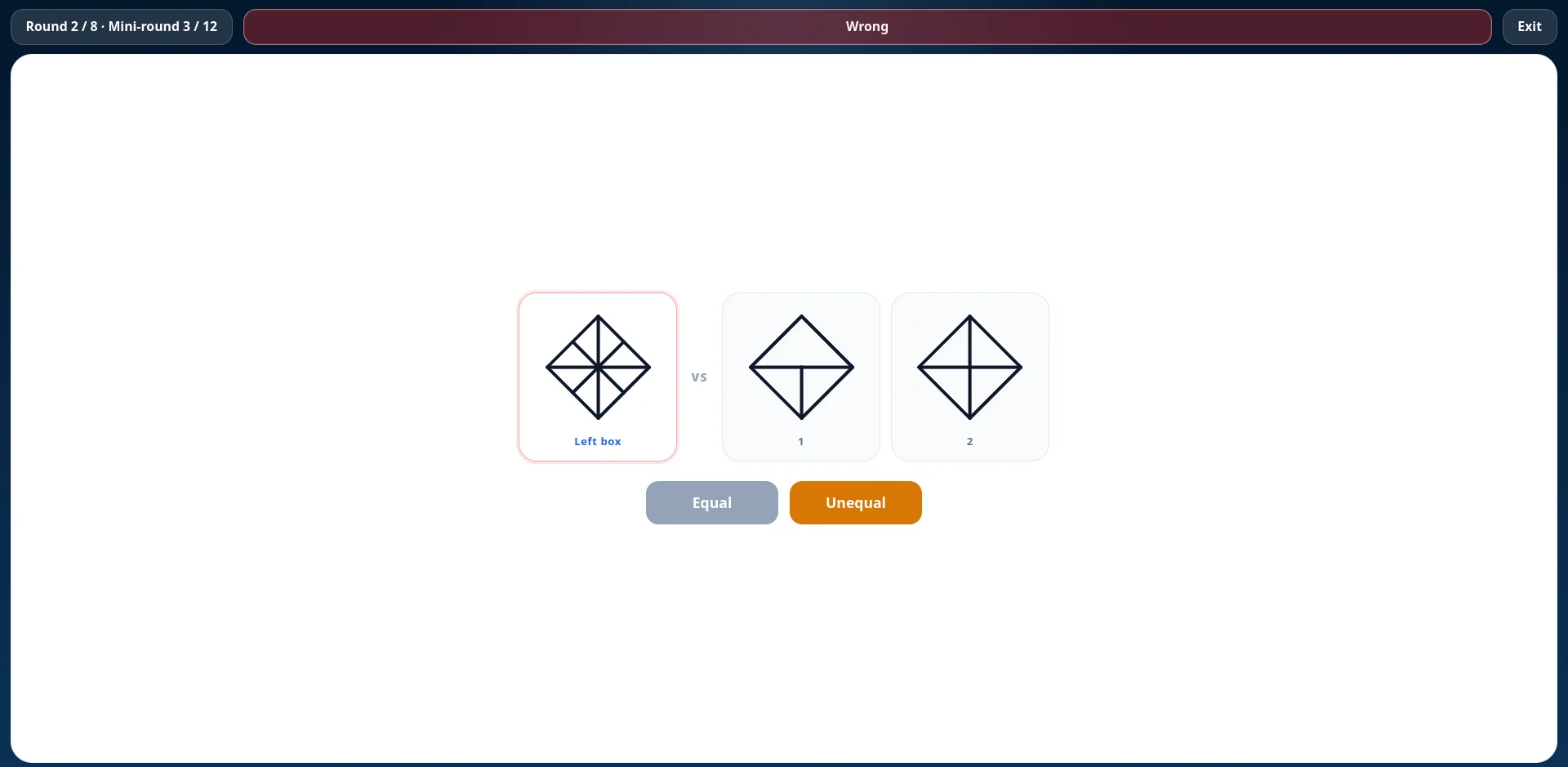
A timed round in the suite, with the reference on the left and Equal / Unequal at the bottom.
Levels
Level 1 keeps it readable: one figure on the right, eight seconds, and patterns that are easy to tell apart, so you can learn the Equal / Unequal rule without fighting the clock. Level 2 can add a second figure, the wrong answers start looking closer to the left box, and you have five seconds. Level 3 and Level 4 usually show two figures and give you three seconds, and Level 4 removes the pause after each answer so the next item is already there.
Easy, Medium, Hard, and Test in the suite follow that curve. Test hides the usual feedback, which is closer to how the real sitting feels.
Common mistakes
The figures often look similar on purpose. A plus and a star both have a cross, but they are not the same, and one extra inner line is enough to make the answer Unequal. The other frequent error is the opposite: two figures are on the right, one of them is different, and people press Unequal even though the other one matches. Look at the left figure first, then check the right side for the same inner lines, and do not stop at the first box that looks wrong.
Where to find it
Open it in the FEAST Preparation Suite, where it has the same Easy, Medium, Hard, and Test levels as the other modules, plus saved scores and statistics. It is also in free FEAST training if you want to try the first level without a subscription. The module page has the written instructions, and FEAST modules explained covers the rest of the battery.
Related Blog Posts

Transavia Pilot Aptitude Test: Compass and CPP Guide
Transavia uses Compass, the EPST aptitude battery, and CPP, the Checklist Professional Profile. Direct-entry first officers and Airline Pilot Program applicants then follow different selection stages.

Ryanair Pilot Aptitude Test: A Guide to Aon and cut-e
Ryanair asks applicants to complete an online Aon aptitude test, still called cut-e, before the simulator. The process depends on whether you apply direct with a Ryanair Group airline or through the Future Flyer Academy.
Free FEAST Training: How to Prepare for FEAST I and FEAST II
Free FEAST training for FEAST I and a first look at FEAST II: which modules are included, how to start, and when the Easy level stops being enough.